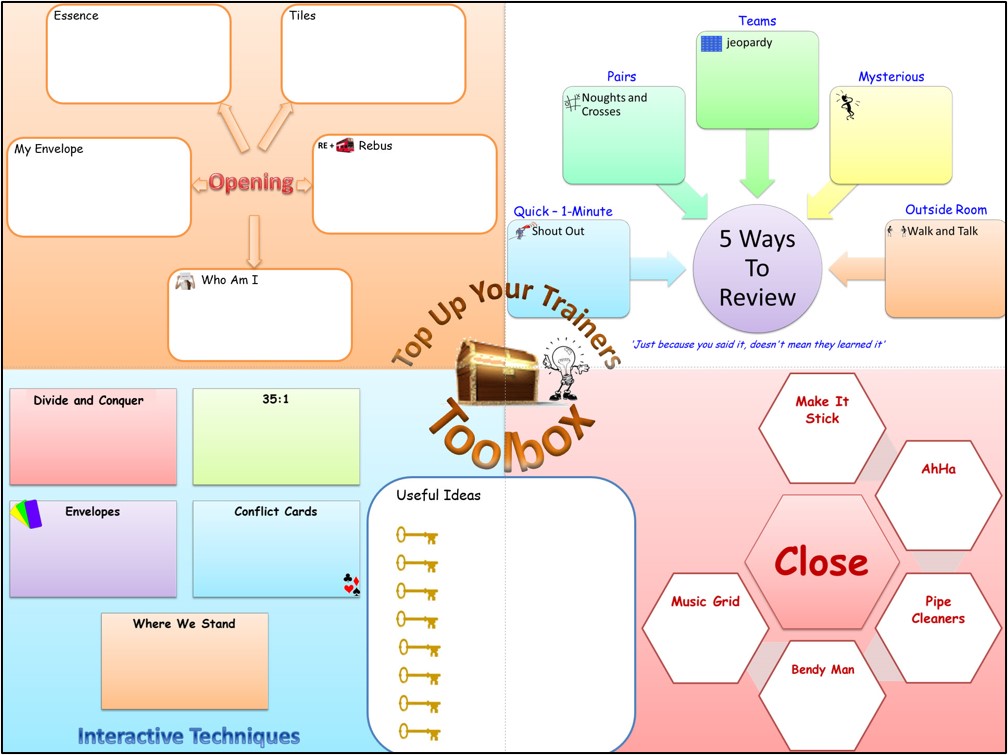
How To Create Engaging Placemats
Ideal for Face-to-Face, Virtual Training and eLearning Training
Research from the University of Tokyo shows that making notes on physical paper can lead to more brain activity and remembering the information.
So let's create engaging placemats where learners can capture their great ideas keeping them all in one organised place.
Expect To Leave With (but not limited to):
Join us for this 75-minutes and leave with your next workshop placemat created and ready to use.
- How using placemats (or other note making options) can help embed learning into your learners long term memory.
- Hands-On - Create an engaging placemat for your next training (using PowerPoint).
- Hands-On - Add interactive clickable areas for learners to make their notes (using PowerPoint).
Before You Begin
- Click here to download your notes placemat.
Recording
Recording Timestamps - click any timestamp to jump to that part of the recording
00:00 - Welcome and Research Supporting Why We Should Use Placemats.
04:30 - Things To Keep In Mind When Designing Your Placemat.
13:45 - Placemat Examples and Draw Your Own Placemat.
22:58 - Graphic Resources.
24:21 - Create Your Placemat In PowerPoint From Your Drawing.
25:34 - Locking Your Placemat Elements So That Learners Cannont Move them.
30:44 - Adding Clickable Text Boxes To Your Placemat.
35:10 - Close - Learners Sharing The Placemats They've Created.
41:58 - Thank You.
Resources
- Research - 'Paper Notebooks vs. Mobile Devices: Brain Activation Differences During Memory Retrieval' Tokyo University
https://www.frontiersin.org/articles/10.3389/fnbeh.2021.634158/full - Research - 'Student Notetaking' University of Michigan
https://crlt.umich.edu/sites/default/files/resource_files/CRLT_no16.pdf - Research - 'Notes on Note-Taking:' Harvard University
https://hwpi.harvard.edu/files/hilt/files/notetaking_0.pdf - Click here to download a list of graphic resources (.pdf)